ユーザのプライマリグループは、usermod の-gオプションで実行する。
sudo usermod -g グループ名 ユーザ名
プライマリグループの確認は、groupsコマンドで確認する。1つ目のグループがプライマリグループ。
~$ groups zen
zen : developers sudo
ユーザのプライマリグループは、usermod の-gオプションで実行する。
sudo usermod -g グループ名 ユーザ名
プライマリグループの確認は、groupsコマンドで確認する。1つ目のグループがプライマリグループ。
~$ groups zen zen : developers sudo
vsftpdで何も考えずに、SSLの設定をすると、明示的な暗号化(Explicit)になる。
# This option specifies the location of the RSA certificate to use for SSL
# encrypted connections.
rsa_cert_file=/etc/ssl/certs/ssl-cert-snakeoil.pem
rsa_private_key_file=/etc/ssl/private/ssl-cert-snakeoil.key
ssl_enable=YES
そのため、FTPSで接続する場合は、明示的な暗号化をクライアントソフト側で選ぶ。その場合のポートは、21番ポートが待ち受けになる。
暗黙的な暗号化(Implicit)にするためには、以下のようなimplicit_sslを有効化して、ポートの設定が必要。
implicit_ssl=YES
listen_port=990
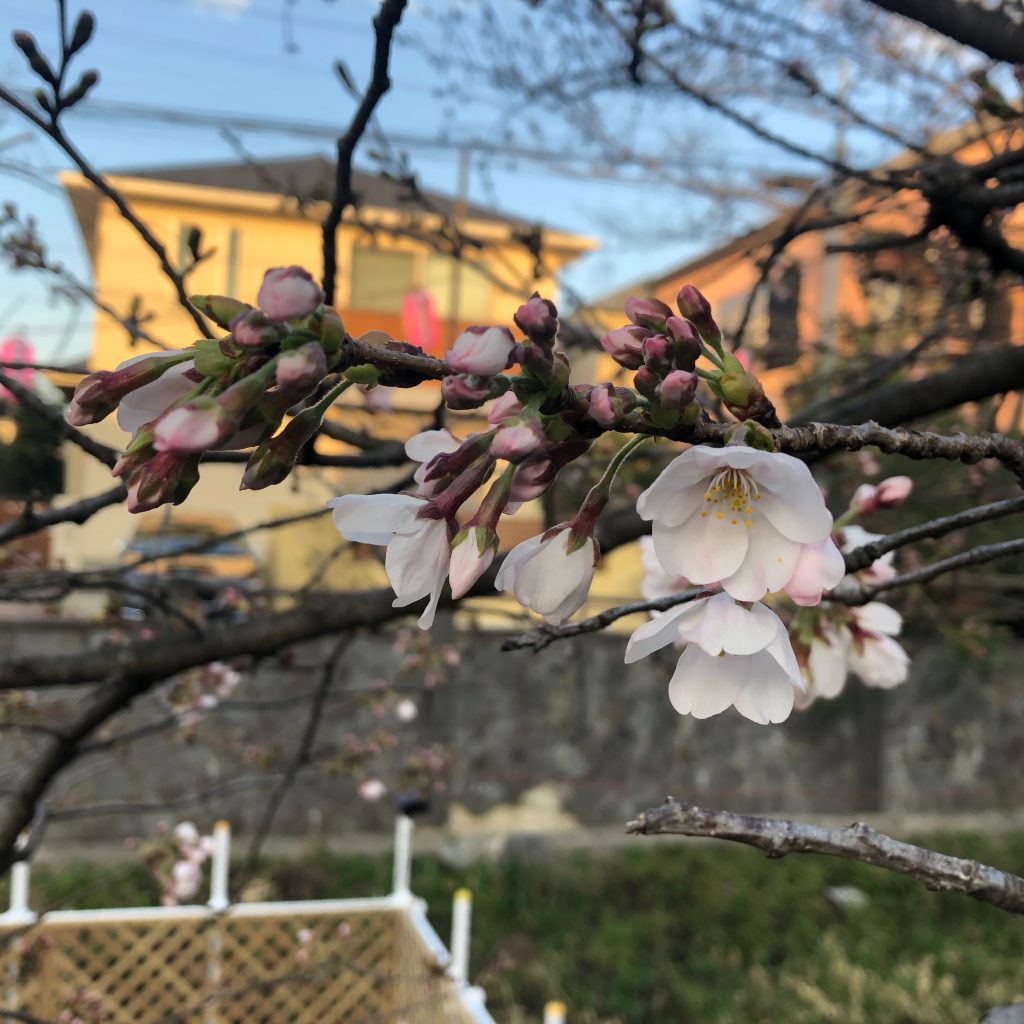
今年(2019年)も真間川のソメイヨシノが咲き始めた。まだ、咲き始めたばかりなので、見頃は今週末か来週か。春がきたと実感できる。

咲き始めといっても、日当たりの良い場所の桜はもう五部咲きくらいになっていた。この桜は気が早いのか、見頃になっていた。この花は、とても白い。淡いピンクの花はほとんどなく、白い桜だ。

これはしだれ桜の紅枝垂(べにしだれ)。しだれ桜なので、咲くのがちょっと早く濃いピンクの花が見頃だった。
aptでインストールしたパッケージの一覧を表示するには、下記のコマンドを実行する。
apt list --installled
実行例)
zen:/var/log$ apt list --installed
Listing... Done
accountsservice/bionic,now 0.6.45-1ubuntu1 amd64 [installed]
adduser/bionic,bionic,now 3.116ubuntu1 all [installed]
adwaita-icon-theme/bionic,bionic,now 3.28.0-1ubuntu1 all [installed,automatic]
amd64-microcode/bionic-updates,now 3.20180524.1~ubuntu0.18.04.2 amd64 [installed,automatic]
apparmor/bionic-updates,bionic-security,now 2.12-4ubuntu5.1 amd64 [installed]
apt/bionic-updates,now 1.6.8 amd64 [installed]
apt-utils/bionic-updates,now 1.6.8 amd64 [installed]
ubuntu 18.04.02で、Nginx-fullをインストールしたときにインストールされているオプション。
“–with-http_ssl_module” と “–with-http_v2_module” がついているので、SSL化もHTTP/2化もすんなりとできる。
zen:/var/log$ nginx -V
nginx version: nginx/1.14.0 (Ubuntu)
built with OpenSSL 1.1.0g  2 Nov 2017
TLS SNI support enabled
configure arguments: --with-cc-opt='-g -O2 -fdebug-prefix-map=/build/nginx-FIJPpj/nginx-1.14.0=.
-fstack-protector-strong -Wformat -Werror=format-security -fPIC -Wdate-time -D_FORTIFY_SOURCE=2'
--with-ld-opt='-Wl,-Bsymbolic-functions -Wl,-z,relro -Wl,-z,now -fPIC' --prefix=/usr/share/nginx
--conf-path=/etc/nginx/nginx.conf --http-log-path=/var/log/nginx/access.log
--error-log-path=/var/log/nginx/error.log --lock-path=/var/lock/nginx.lock --pid-path=/run/nginx.pid
--modules-path=/usr/lib/nginx/modules --http-client-body-temp-path=/var/lib/nginx/body
--http-fastcgi-temp-path=/var/lib/nginx/fastcgi --http-proxy-temp-path=/var/lib/nginx/proxy
--http-scgi-temp-path=/var/lib/nginx/scgi --http-uwsgi-temp-path=/var/lib/nginx/uwsgi --with-debug
--with-pcre-jit --with-http_ssl_module --with-http_stub_status_module --with-http_realip_module
--with-http_auth_request_module --with-http_v2_module --with-http_dav_module --with-http_slice_module
--with-threads --with-http_addition_module --with-http_geoip_module=dynamic --with-http_gunzip_module
--with-http_gzip_static_module --with-http_image_filter_module=dynamic --with-http_sub_module
--with-http_xslt_module=dynamic --with-stream=dynamic --with-stream_ssl_module
--with-stream_ssl_preread_module --with-mail=dynamic --with-mail_ssl_module
--add-dynamic-module=/build/nginx-FIJPpj/nginx-1.14.0/debian/modules/http-auth-pam
--add-dynamic-module=/build/nginx-FIJPpj/nginx-1.14.0/debian/modules/http-dav-ext
--add-dynamic-module=/build/nginx-FIJPpj/nginx-1.14.0/debian/modules/http-echo
--add-dynamic-module=/build/nginx-FIJPpj/nginx-1.14.0/debian/modules/http-upstream-fair
--add-dynamic-module=/build/nginx-FIJPpj/nginx-1.14.0/debian/modules/http-subs-filter
ウェブサーバのSSL設定のコンフィグを生成してくれるジェネレータを、Mozillaが公開している。 NginxもApacheもAWS ELBも生成してくれるので、便利。証明書のパスなどは自分で書き換える必要があるが、ベースになるコンフィグを作ってくれるので、楽。
もちろん、必要に応じてチューニングは必要だが、ベースは重要。
バージョンを指定したRailsのインストールは、下記。
gem install rails -v インストールするバージョン
インストールされているRailsのバージョンを表示するコマンドは下記。
rails -v
例: Rails 5.2.2.1をインストールする
zen:~$ gem install rails -v 5.2.2.1
Fetching thread_safe-0.3.6.gem
Fetching tzinfo-1.2.5.gem
Fetching i18n-1.6.0.gem
Fetching activesupport-5.2.2.1.gem
Fetching mini_portile2-2.4.0.gem
Fetching nokogiri-1.10.1.gem
Fetching concurrent-ruby-1.1.5.gem
Fetching rails-dom-testing-2.0.3.gem
Fetching rails-html-sanitizer-1.0.4.gem
Fetching loofah-2.2.3.gem
Fetching builder-3.2.3.gem
Fetching actionview-5.2.2.1.gem
Fetching rack-2.0.6.gem
Fetching crass-1.0.4.gem
Fetching rack-test-1.1.0.gem
Fetching erubi-1.8.0.gem
Fetching actionpack-5.2.2.1.gem
Fetching activemodel-5.2.2.1.gem
Fetching activejob-5.2.2.1.gem
Fetching arel-9.0.0.gem
Fetching activerecord-5.2.2.1.gem
Fetching mini_mime-1.0.1.gem
Fetching mail-2.7.1.gem
Fetching globalid-0.4.2.gem
Fetching nio4r-2.3.1.gem
Fetching actionmailer-5.2.2.1.gem
Fetching websocket-extensions-0.1.3.gem
Fetching websocket-driver-0.7.0.gem
Fetching actioncable-5.2.2.1.gem
Fetching mimemagic-0.3.3.gem
Fetching marcel-0.3.3.gem
Fetching activestorage-5.2.2.1.gem
Fetching thor-0.20.3.gem
Fetching rails-5.2.2.1.gem
Fetching method_source-0.9.2.gem
Fetching sprockets-3.7.2.gem
Fetching sprockets-rails-3.2.1.gem
Fetching railties-5.2.2.1.gem
Successfully installed concurrent-ruby-1.1.5
Successfully installed thread_safe-0.3.6
Successfully installed tzinfo-1.2.5

HEADS UP! i18n 1.1 changed fallbacks to exclude default locale.
But that may break your application.

Please check your Rails app for 'config.i18n.fallbacks = true'.
If you're using I18n (>= 1.1.0) and Rails (< 5.2.2), this should be
'config.i18n.fallbacks = [I18n.default_locale]'.
If not, fallbacks will be broken in your app by I18n 1.1.x.

For more info see:
https://github.com/svenfuchs/i18n/releases/tag/v1.1.0

Successfully installed i18n-1.6.0
Successfully installed activesupport-5.2.2.1
Successfully installed mini_portile2-2.4.0
Building native extensions. This could take a while...
Successfully installed nokogiri-1.10.1
Successfully installed rails-dom-testing-2.0.3
Successfully installed crass-1.0.4
Successfully installed loofah-2.2.3
Successfully installed rails-html-sanitizer-1.0.4
Successfully installed erubi-1.8.0
Successfully installed builder-3.2.3
Successfully installed actionview-5.2.2.1
Successfully installed rack-2.0.6
Successfully installed rack-test-1.1.0
Successfully installed actionpack-5.2.2.1
Successfully installed activemodel-5.2.2.1
Successfully installed arel-9.0.0
Successfully installed activerecord-5.2.2.1
Successfully installed mini_mime-1.0.1
Successfully installed mail-2.7.1
Successfully installed globalid-0.4.2
Successfully installed activejob-5.2.2.1
Successfully installed actionmailer-5.2.2.1
Building native extensions. This could take a while...
Successfully installed nio4r-2.3.1
Successfully installed websocket-extensions-0.1.3
Building native extensions. This could take a while...
Successfully installed websocket-driver-0.7.0
Successfully installed actioncable-5.2.2.1
Successfully installed mimemagic-0.3.3
Successfully installed marcel-0.3.3
Successfully installed activestorage-5.2.2.1
Successfully installed method_source-0.9.2
Successfully installed thor-0.20.3
Successfully installed railties-5.2.2.1
Successfully installed sprockets-3.7.2
Successfully installed sprockets-rails-3.2.1
Successfully installed rails-5.2.2.1
Parsing documentation for concurrent-ruby-1.1.5
Installing ri documentation for concurrent-ruby-1.1.5
Parsing documentation for thread_safe-0.3.6
Installing ri documentation for thread_safe-0.3.6
Parsing documentation for tzinfo-1.2.5
Installing ri documentation for tzinfo-1.2.5
Parsing documentation for i18n-1.6.0
Installing ri documentation for i18n-1.6.0
Parsing documentation for activesupport-5.2.2.1
Installing ri documentation for activesupport-5.2.2.1
Parsing documentation for mini_portile2-2.4.0
Installing ri documentation for mini_portile2-2.4.0
Parsing documentation for nokogiri-1.10.1
Installing ri documentation for nokogiri-1.10.1
Parsing documentation for rails-dom-testing-2.0.3
Installing ri documentation for rails-dom-testing-2.0.3
Parsing documentation for crass-1.0.4
Installing ri documentation for crass-1.0.4
Parsing documentation for loofah-2.2.3
Installing ri documentation for loofah-2.2.3
Parsing documentation for rails-html-sanitizer-1.0.4
Installing ri documentation for rails-html-sanitizer-1.0.4
Parsing documentation for erubi-1.8.0
Installing ri documentation for erubi-1.8.0
Parsing documentation for builder-3.2.3
Installing ri documentation for builder-3.2.3
Parsing documentation for actionview-5.2.2.1
Installing ri documentation for actionview-5.2.2.1
Parsing documentation for rack-2.0.6
Installing ri documentation for rack-2.0.6
Parsing documentation for rack-test-1.1.0
Installing ri documentation for rack-test-1.1.0
Parsing documentation for actionpack-5.2.2.1
Installing ri documentation for actionpack-5.2.2.1
Parsing documentation for activemodel-5.2.2.1
Installing ri documentation for activemodel-5.2.2.1
Parsing documentation for arel-9.0.0
Installing ri documentation for arel-9.0.0
Parsing documentation for activerecord-5.2.2.1
Installing ri documentation for activerecord-5.2.2.1
Parsing documentation for mini_mime-1.0.1
Installing ri documentation for mini_mime-1.0.1
Parsing documentation for mail-2.7.1
Installing ri documentation for mail-2.7.1
Parsing documentation for globalid-0.4.2
Installing ri documentation for globalid-0.4.2
Parsing documentation for activejob-5.2.2.1
Installing ri documentation for activejob-5.2.2.1
Parsing documentation for actionmailer-5.2.2.1
Installing ri documentation for actionmailer-5.2.2.1
Parsing documentation for nio4r-2.3.1
Installing ri documentation for nio4r-2.3.1
Parsing documentation for websocket-extensions-0.1.3
Installing ri documentation for websocket-extensions-0.1.3
Parsing documentation for websocket-driver-0.7.0
Installing ri documentation for websocket-driver-0.7.0
Parsing documentation for actioncable-5.2.2.1
Installing ri documentation for actioncable-5.2.2.1
Parsing documentation for mimemagic-0.3.3
Installing ri documentation for mimemagic-0.3.3
Parsing documentation for marcel-0.3.3
Installing ri documentation for marcel-0.3.3
Parsing documentation for activestorage-5.2.2.1
Installing ri documentation for activestorage-5.2.2.1
Parsing documentation for method_source-0.9.2
Installing ri documentation for method_source-0.9.2
Parsing documentation for thor-0.20.3
Installing ri documentation for thor-0.20.3
Parsing documentation for railties-5.2.2.1
Installing ri documentation for railties-5.2.2.1
Parsing documentation for sprockets-3.7.2
Installing ri documentation for sprockets-3.7.2
Parsing documentation for sprockets-rails-3.2.1
Installing ri documentation for sprockets-rails-3.2.1
Parsing documentation for rails-5.2.2.1
Installing ri documentation for rails-5.2.2.1
Done installing documentation for concurrent-ruby, thread_safe, tzinfo, i18n, activesupport, mini_portile2, nokogiri, rails-dom-testing, crass, loofah, rails-html-sanitizer, erubi, builder, actionview, rack, rack-test, actionpack, activemodel, arel, activerecord, mini_mime, mail, globalid, activejob, actionmailer, nio4r, websocket-extensions, websocket-driver, actioncable, mimemagic, marcel, activestorage, method_source, thor, railties, sprockets, sprockets-rails, rails after 40 seconds
38 gems installed
zen:~$
zen:~$ rails -v
Rails 5.2.2.1
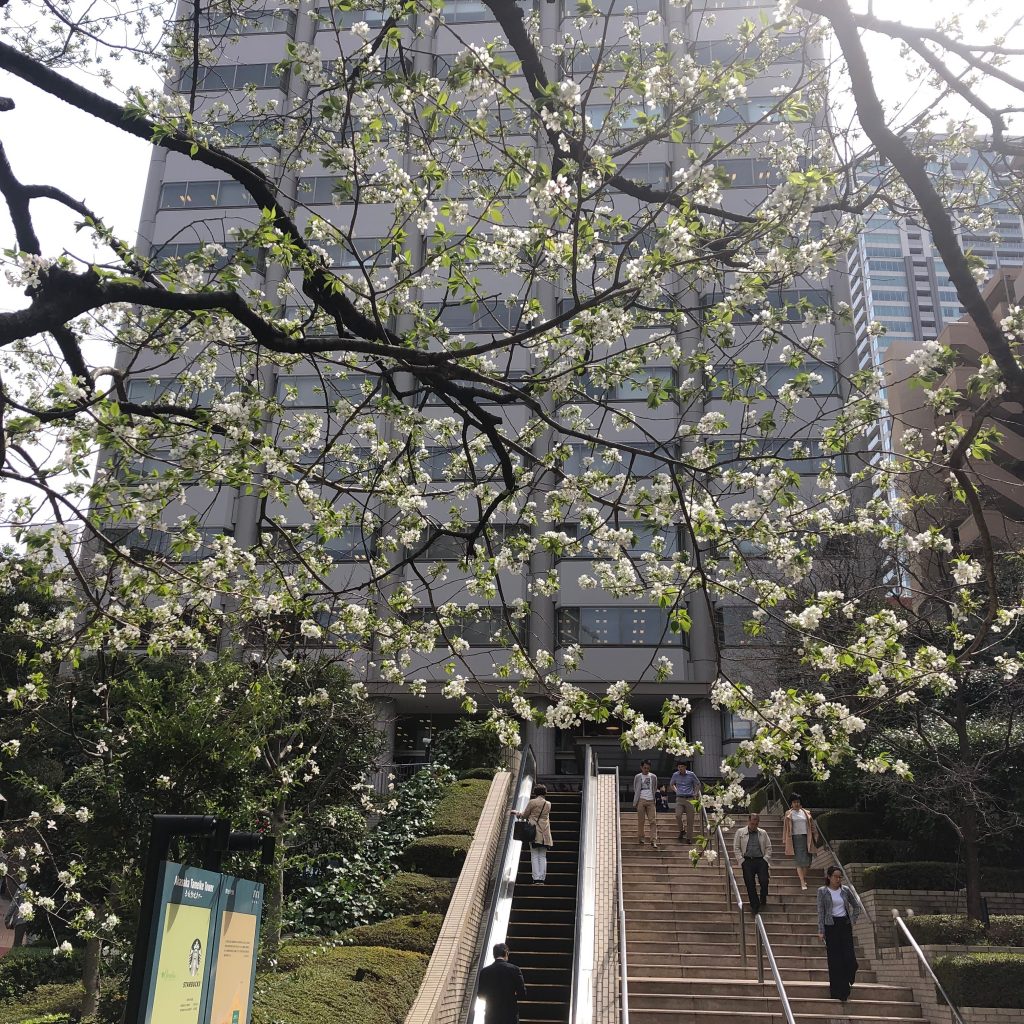
赤坂のオオシマザクラが満開になっていた。火曜日くらいは花が咲いているようには見えなかったので、急に暖かくなった水曜日から咲き始めて新芽も出てきたのだろう。一斉に咲いたので、週明けには散っているかもしれない。桜の花は儚い。
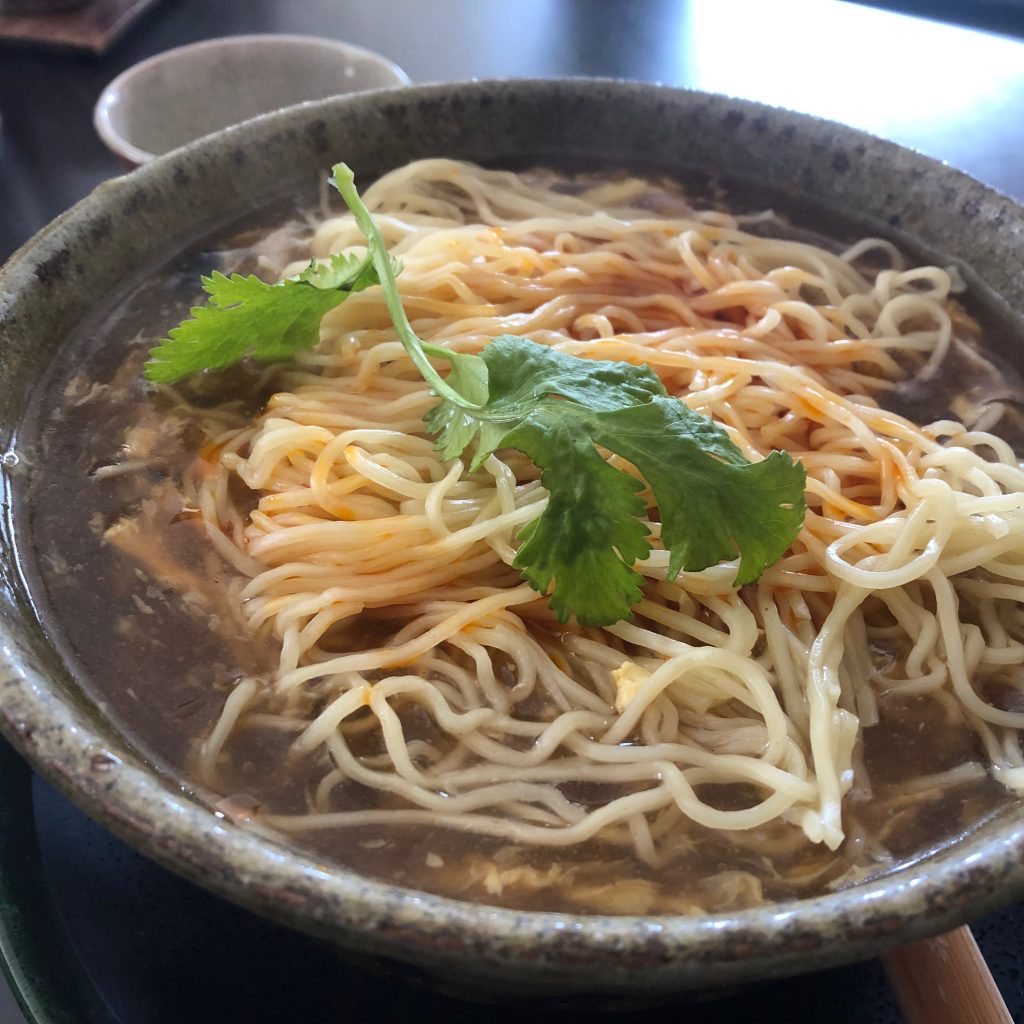
ランチで、露天の北京酸辣湯麺を食べた。
麺が上に乗っているので、具がないように見えるが麺の下にちゃんと入っていた。具は卵や中華ハム、筍などの普通の要素。それにプリプリのエビが3匹くらいは入っていた。辛さの主軸は胡椒の辛さ。酸味も辛味もかなりしっかりとしていて、食べていると汗ダク。
美味しい酸辣湯麺でした。
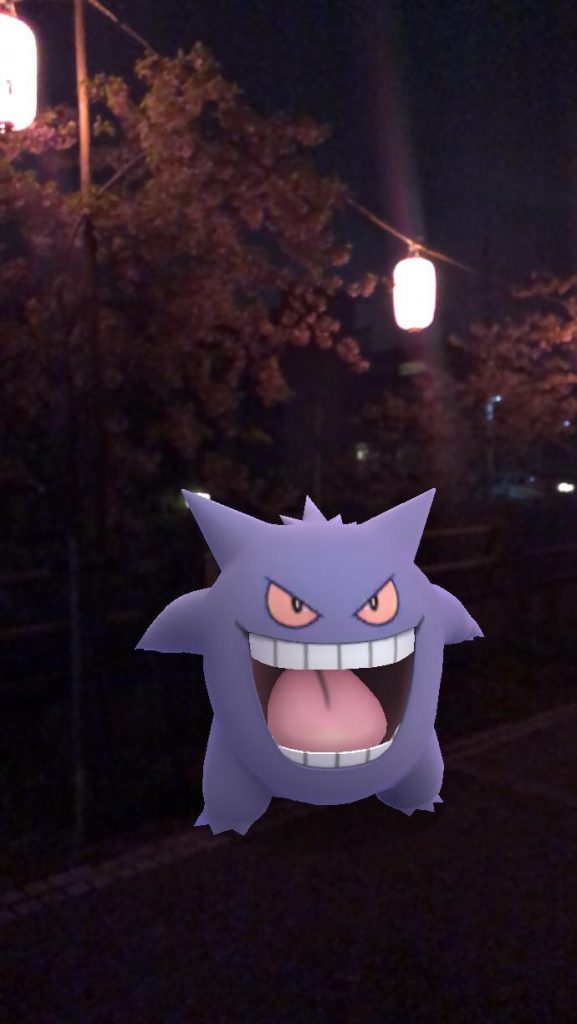
AR撮影で、夜桜とゲンガー。
やっと、夜にゲンガーを出せた。光量が足りないと、地面を認識できなくて、ポケモンをモンスターボールから出せなくて四苦八苦した。桜のライトアップで、光量が増えて、やっとAR撮影できた。ただ、昼と比べると画質が悪い。そして、ゲンガーの色が明るいので、なんか違和感。とはいえ、夜にゲンガーを撮れたから、良い。
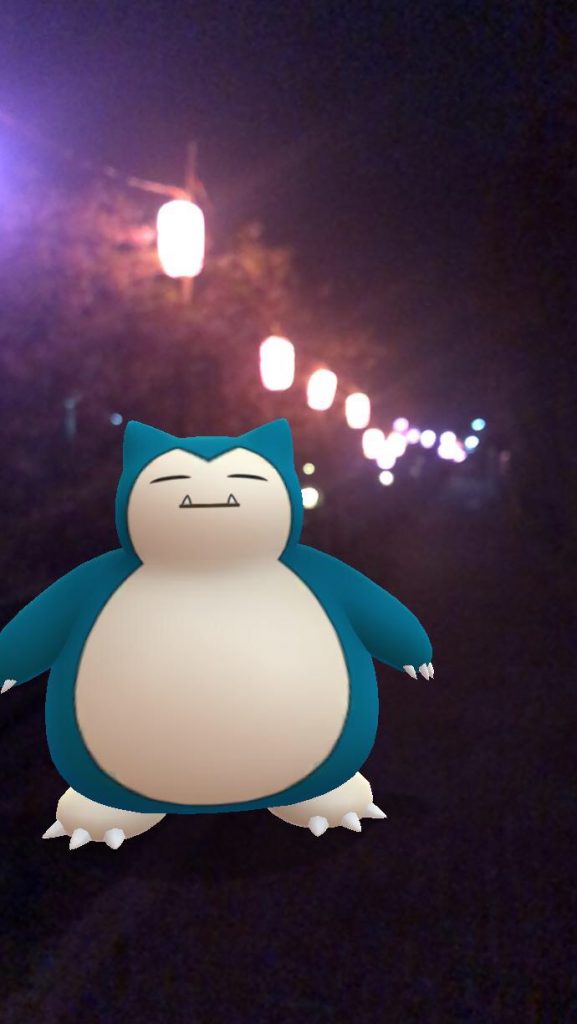
ついでにカビゴンも出せた。こっちは、なんか呑んだくれっぽい。屋台もあれば良かったな。カビゴンの食べ歩き的な。AR撮影楽しい。